
OutWit Hub9.0.0.8 - Download
You'll be able to download in few seconds.
Publisher Description
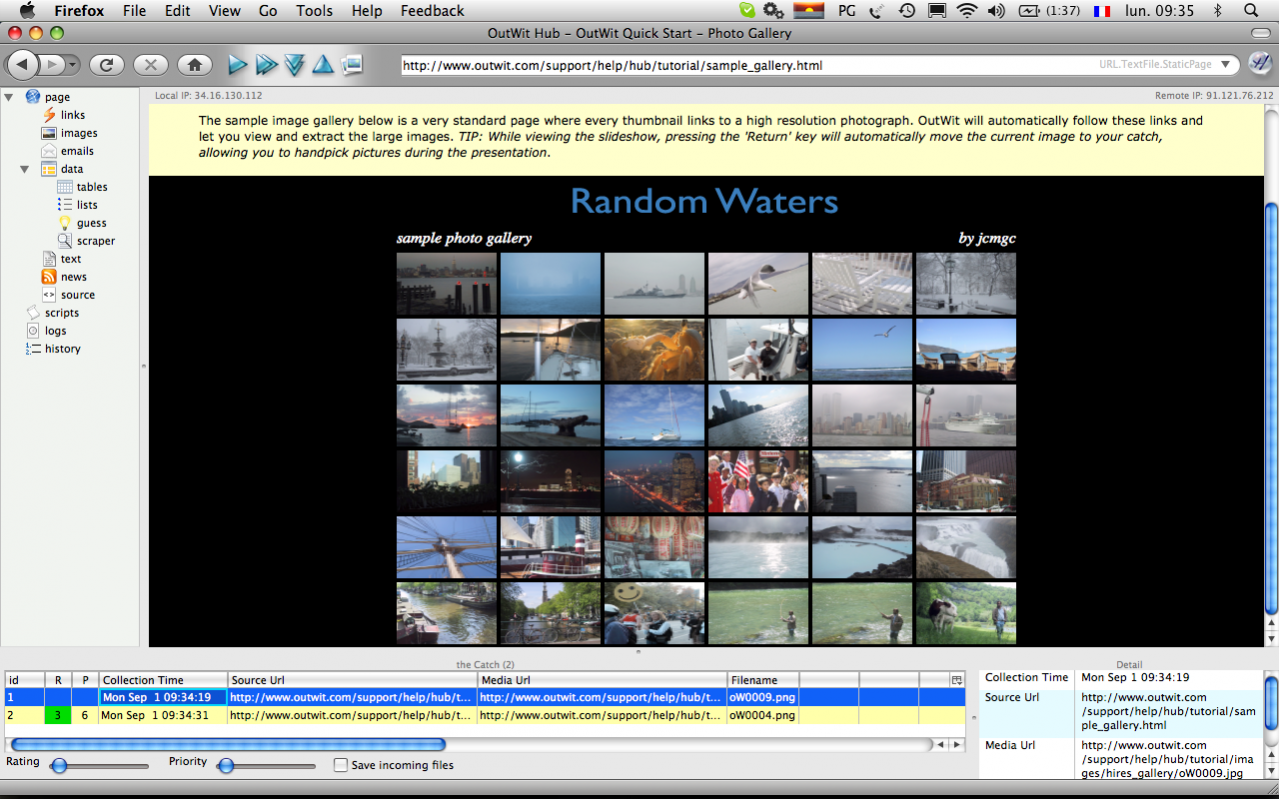
OutWit is the Web collection engine for everyone. It runs on your Windows, MacOS or Linux machine and allows you to browse through and easily grab online information, collect media, contacts or files from the Internet, in a few clicks. Find pictures in galleries and search engines and download them to your hard disk or display online full screen slideshows in a single click. Have the program guess the structure of data you want to extract and export it as a clean table to Excel, CSV, HTML, SQL... The Hub is the first tool based on the OutWit platform. A free collection application and a complete Web harvesting environment in a single interface, OutWit Hub gathers a large series of recognition and extraction features to ease your Web searches, sort and organize your collections, make your own mashups. With or without programming or technical knowledge, you can create automatic agents to gather and format the information you seek. Automatically browse through pages, collect and format the information you seek. This free application is accessible to casual users for fast extractions and will also allow advanced users to build and distribute their own original tools using the power of the OutWit kernel to create specific applications and wizards, with their own user interfaces, features, scripts, scrapers, directories of Web sources...
About OutWit Hub
This Search/Lookup Tools program is available in English, French. It was last updated on 29 September, 2026. OutWit Hub is compatible with the following operating systems: Mac.
The company that develops OutWit Hub is OutWit Technologies. The latest version released by its developer is 9.0.0.8.
The download we have available for OutWit Hub has a file size of 56.6 MB. Just click the green Download button above to start the downloading process. The program is listed on our website since 2020-06-06 and was downloaded 0 times. We have already checked if the download link is safe, however for your own protection we recommend that you scan the downloaded software with your antivirus. Your antivirus may detect the OutWit Hub as malware if the download link is broken.
How to install OutWit Hub on your Windows device:
- Click on the Download button on our website. This will start the download from the website of the developer.
- Once the OutWit Hub is downloaded click on it to start the setup process (assuming you are on a desktop computer).
- When the installation is finished you should be able to see and run the program.
Program Details
System requirements
Download information
Pricing
Version History
version 9.0.0.8
posted on 2020-06-06
version 2.0.0.43
posted on 2011-11-13
Multiple fixes and enhancements.
Disclaimer
External Download
We do not host OutWit Hub on our servers. We did not scan it for viruses, adware, spyware or other type of malware. This app is hosted by the software publisher and passed their terms and conditions to be listed there. We recommend caution when installing it.
The external download link for OutWit Hub is provided to you by apps112.com without any warranties, representations or guarantees of any kind, so access it at your own risk.
If you have questions regarding this particular app contact the publisher directly. For questions about the functionalities of apps112.com contact us.
